TapToSay is a fast, low-distraction communication app for people who need a simple way to be heard. One tap gives instant speech — no menus, no setup, no learning curve.
The same vocabulary, the same one-tap speech, the same grown-up PIN controls — on Android and on iOS.
Install the APK directly from this page — no account, no store needed.
Version 1.2.0+27 · 68.3 MB · Android 7.0+
Free on the App Store for iPad and iPhone.

Version 1.1.8 · Requires iOS 15+ · Free
Staying put works differently on each platform. On Android, TapToSay can run in a full locked kiosk mode. On iPad and iPhone, it uses Apple’s built-in Guided Access — just as locked, and easy for a grown-up to leave. Either way, the settings and exit PINs are the same.
An augmentative and alternative communication (AAC) app built around a single, dependable mechanic: tap a tile, it says the word. That’s it — the whole interaction.
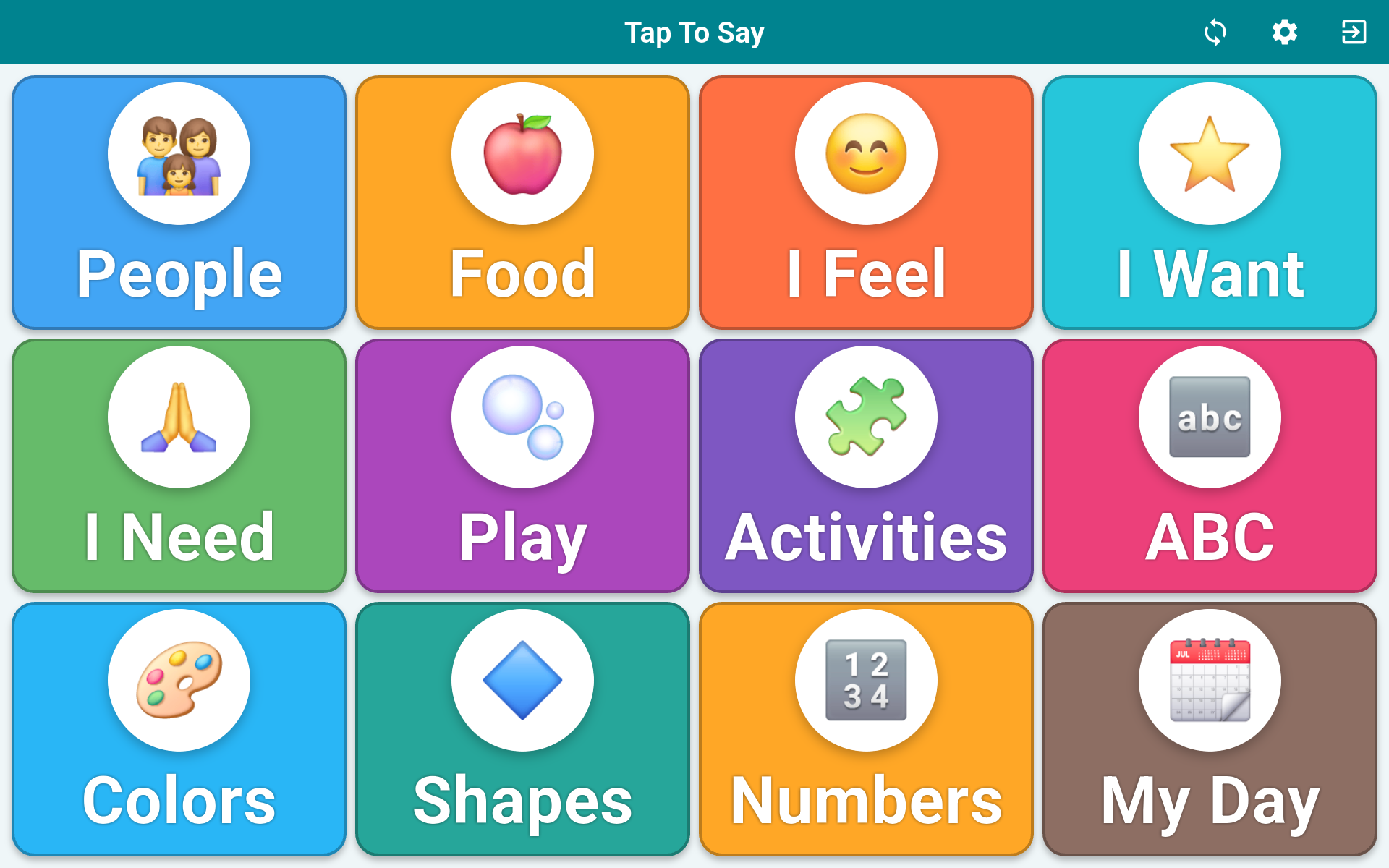
Every tile speaks the moment it’s touched. No press-and-hold, no confirm dialog, no delay between thought and voice.
Every tile pairs its word with a picture — an AAC symbol, an emoji, or your own photo. Twelve everyday categories, from People and Food to Feelings, Play, ABC, and Numbers, work out of the box.
Large targets with bold labels that are easy to hit and easy to read, sized for small hands and busy classrooms.
Locked to its own screen so a tablet stays on TapToSay instead of drifting into other apps — kiosk mode on Android, Guided Access on iOS.
Speech happens on the device. No internet connection is needed to communicate — it keeps working on the bus, at home, anywhere.
Open source under the MIT license. Personal data and photos stay on the device; nothing about a user is collected or sold.
Open a category and every word keeps its own picture and color, so a child sees the meaning, not just the letters — words and pictures, not one or the other.
TapToSay is for anyone who is understood more easily by tapping than by talking — and for the people who care for them.
Especially young kids who are learning that their choices can be heard and answered. A first, forgiving step into communication.
Parents and relatives who need a tool that works the same way every time, with nothing to configure before it can help.
Classrooms and sessions where a shared tablet can give a student a voice without pulling focus from the lesson.
People of any age facing a temporary or long-term barrier to speech — after surgery, with a motor condition, or on a hard day.
Free. No account. No ads.
⬇ Download for Android (APK)Open this page on the Android phone or tablet you want to use — or download the file and transfer it over.
Tap the file. If prompted, allow your browser to install apps from unknown sources, then confirm.
Open TapToSay. Tap a tile and it speaks. That’s the whole setup.
SHA-256 140d41d347fb626354495691e0a1f362f80f1c793b60fc0c94d294d2ad3f4ce8
On an iPad or iPhone? TapToSay is on the App Store — get it for iOS, or read about the iOS version.
 TapToSay