TapToSay isn’t just an app a parent installs — it’s built to be run by an organization. Enroll your district, deploy it to your school tablets, and lock each one into kiosk mode so the device does exactly one thing: give a student a voice.
A school doesn’t hand a child an unlocked tablet and hope for the best. TapToSay is set up so the district decides what’s on the device, the teacher shapes the vocabulary, and the tablet stays on the app — turn it on, and it comes up talking.
Each tablet is provisioned as a managed device and the app is pinned so it launches on boot and stays put. No wandering into other apps, no home screen to escape to, no settings for a student to get lost in.
Your district admin invites campuses; teachers manage the tablets they’re assigned; parents can shape their own child’s words. Each role sees exactly what it should — and nothing more.
Vocabulary and settings live on your server, not on each tablet by hand. Change a classroom’s words once and the tablets pick it up on their next sync — the whole fleet stays in step.
The words a student reaches for come from the organization — set deliberately by staff, not scraped together ad hoc. That gives a classroom a shared, predictable vocabulary to build on.
From a box of tablets to locked-down communication devices, without touching each one by hand.
We set up your organization on our platform and give you a district admin account. From there, everything is yours to run.
Each tablet gets a school ID and a student identity. Provisioning is done with a single QR code scan — no typing credentials on the glass.
The tablet is provisioned as a managed device. TapToSay becomes the one app it runs, pinned in place and starting up by itself when the tablet powers on.
District admins, teachers, and parents sign in to a web portal to manage vocabulary and settings — per tablet or across the tablets they’re responsible for.
Android tablets get full kiosk mode — the app is provisioned as device owner and pinned so it’s the only thing the tablet does. On iPad, the same app runs under Apple’s built-in Guided Access: just as locked for the student, with the same grown-up PIN controls.
Three levels, each with its own reach. Nobody gets more access than the job needs — and the passcodes that keep a tablet locked belong to the adults, not the app.
Twelve everyday categories, each word carrying its own picture — an AAC symbol, an emoji, or a photo you upload. Your staff decides what a classroom needs; the default set is ready from day one.
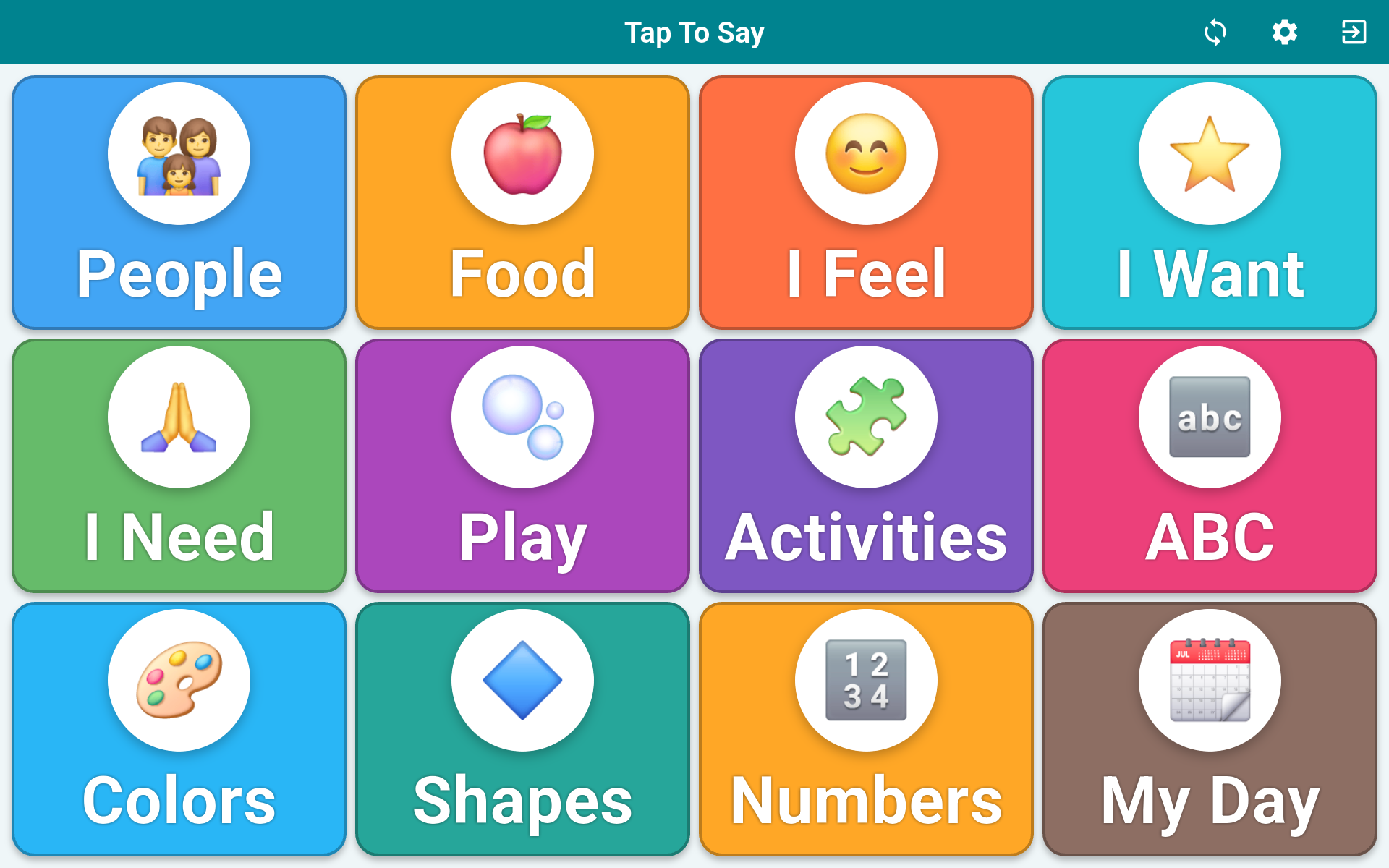
Open a category and every word keeps its own picture and color, so a student sees the meaning, not just the letters — words and pictures, not one or the other.
Making a change is a web edit, not a tablet task. A teacher signs in to the portal, adds or moves words, and the tablet picks up the change on its next sync — no cable, no re-flashing, nothing to teach the student. The picture on a tile can be an AAC symbol, an emoji, or a photo uploaded for that child.
Tell us about your district or campus and we’ll get you set up with an admin account and a starter deployment. TapToSay is our platform; enrolling an organization is something we do with you.
Contact us to enrollSend us your district or campus name and roughly how many tablets you’re deploying.
Your admin account goes live on the platform, ready for you to add campuses, teachers, and tablets.
Scan the QR on each tablet, watch it lock into kiosk mode, and hand it to the student.
 TapToSay